
What it solves
Clear reads on what actually moved.
Referrer reads per drop
See whether creator bio, story, email, or QR sent the click — then double down on the placement that worked.
Hub + tracked links
Publish at /hub/you with every promo and sponsor link counted in one place.
Proof for brand decks
Share jumped.to analytics tied to the exact link in the brief, not vanity view counts.
Built for you
What Jumped handles so you can focus on the work.
Treat every drop as an experiment — the dashboard tells you what to feature next time.
Hub live
/hub/mayachen · 3 published links
Drop link
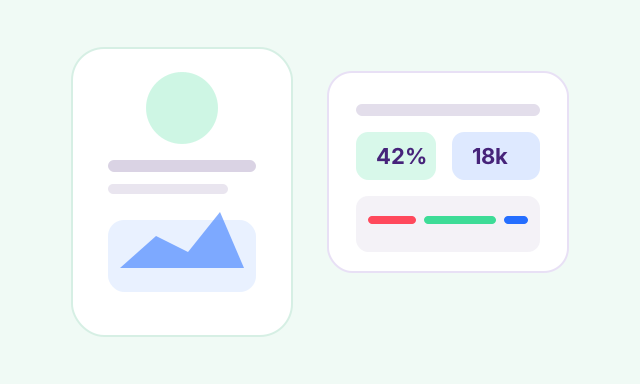
jumped.to/drop · 18k clicks this week
Top referrer
Creator bio carrying 42% of traffic
Share assets
QR + snippet copy from one URL
Operator note
Lead with the placement that already moved — check referrer reads before you swap the link for the next drop.
Hub pages at /hub/you
One public page for drops, sponsors, and contact — with outbound clicks tracked on every button.

Geo and device reads
See where attention came from and whether the audience was mobile, desktop, or unknown.
Referrer reads
See whether traffic came from a creator bio, story swipe-up, email, or another placement.

Share assets
QR cards and snippet copy help the same link travel across digital and physical placements.
How it flows
Post, read, repeat what worked
Treat every drop as an experiment — the dashboard tells you what to feature next time.
- 1
Publish from one hub
Point your bio to /hub/handle and share the same jumped.to link in stories, captions, and QR.
- 2
Read the signal
Check referrer, city, and device mix after the post goes live — not days later in a generic report.
- 3
Reuse the winner
Clone the top link, refresh copy, and lead with the placement that already moved.
What matters
Questions your team should answer without exporting first.
Referrer reads (Plus+)
See which channel, bio, or email placement actually sent the click.
Geo + device
See where clicks came from and whether the audience was mobile or desktop.
Share assets
QR, hub links, and snippets all pull from the same URL.
Campaign tags
Add source, medium, and campaign tags while creating the link.
Operational control
Pause, clone, or refresh the preview before the wrong page spreads.
See how Jumped compares on the homepage.
Creator hub
Put your best links where people actually click.
Publish a hub page, share one tracked URL per drop, and come back to see what moved.
Also built for